Your idea in wood
Design the parts, check the assembly in 3D and plan the cuts. Or describe it and let the assistant do it.
- Free
- AI assistant
- Technical PDF and SVG
Design the parts, check the assembly in 3D and plan the cuts. Or describe it and let the assistant do it.
01 / Design
Contours, curves, cutouts and edge profiles with exact dimensions.
02 / Assembly
Place, rotate and group parts. Veta warns you when they collide.
03 / Cutting
Use your boards and offcuts while respecting grain, trim margin and tool width.
Describe what you need. The assistant creates the parts, assembles the piece, calculates the cutting plan and prepares the PDF in your project. You see every step and open the result.
Try the assistantCreate a 600 × 360 mm side table in 18 mm pine, with a shelf. Prepare the cutting plan and the PDF.
I created the table with 5 parts, assembled it and calculated the cutting plan on one 1200 × 900 mm board. The technical PDF is ready.
Measures in 3D, calculates and checks clearances with the same rules as the app.
Every change is checked on the server against the latest version of the project.
OpenAI, OpenRouter, LM Studio, Ollama or any compatible API, including local ones.
Photos, sketches or CSV. Images need a vision-capable model.
Add external tools to the assistant or use Veta from your own agent.
Conversations are stored in your browser. Requests go to the provider you choose.
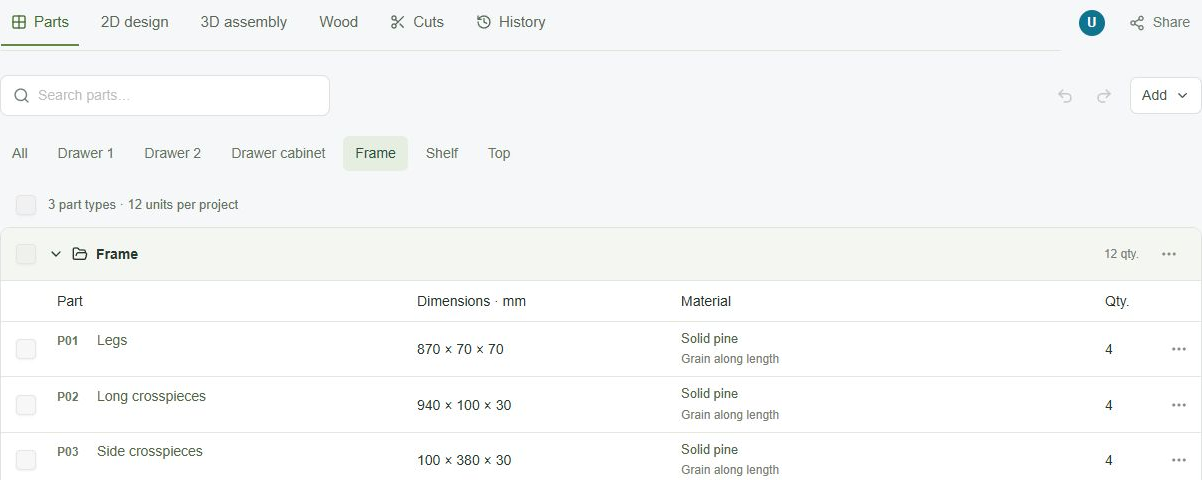
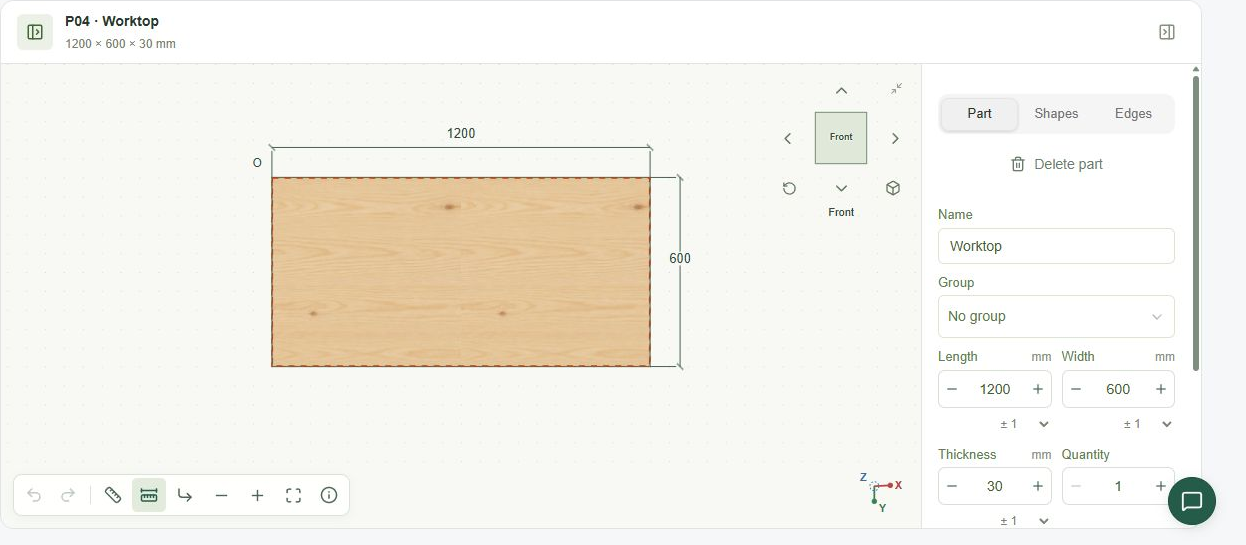
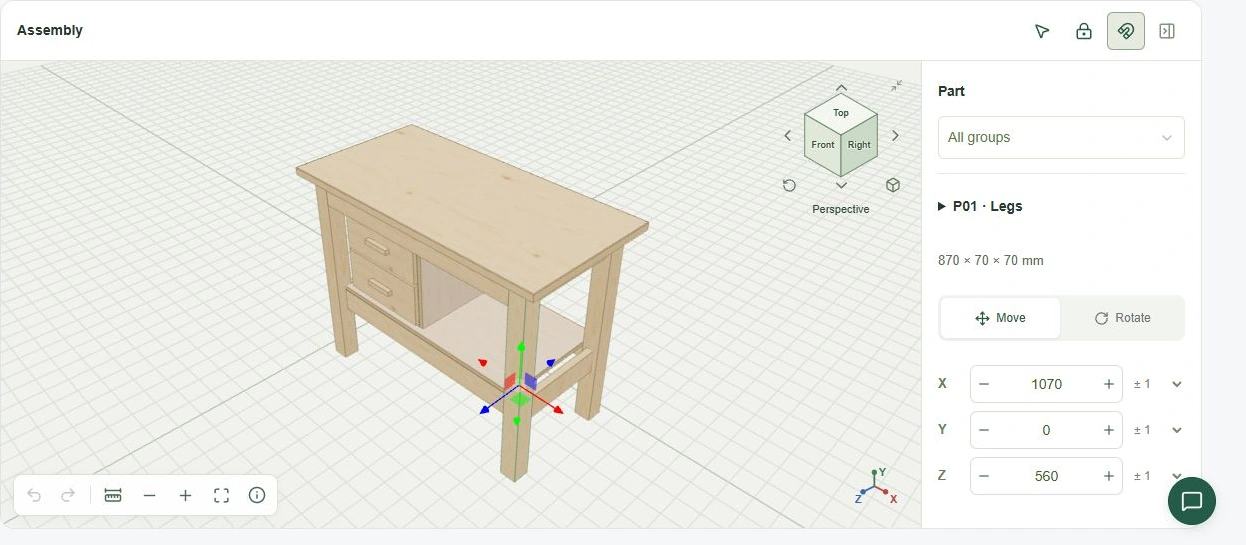
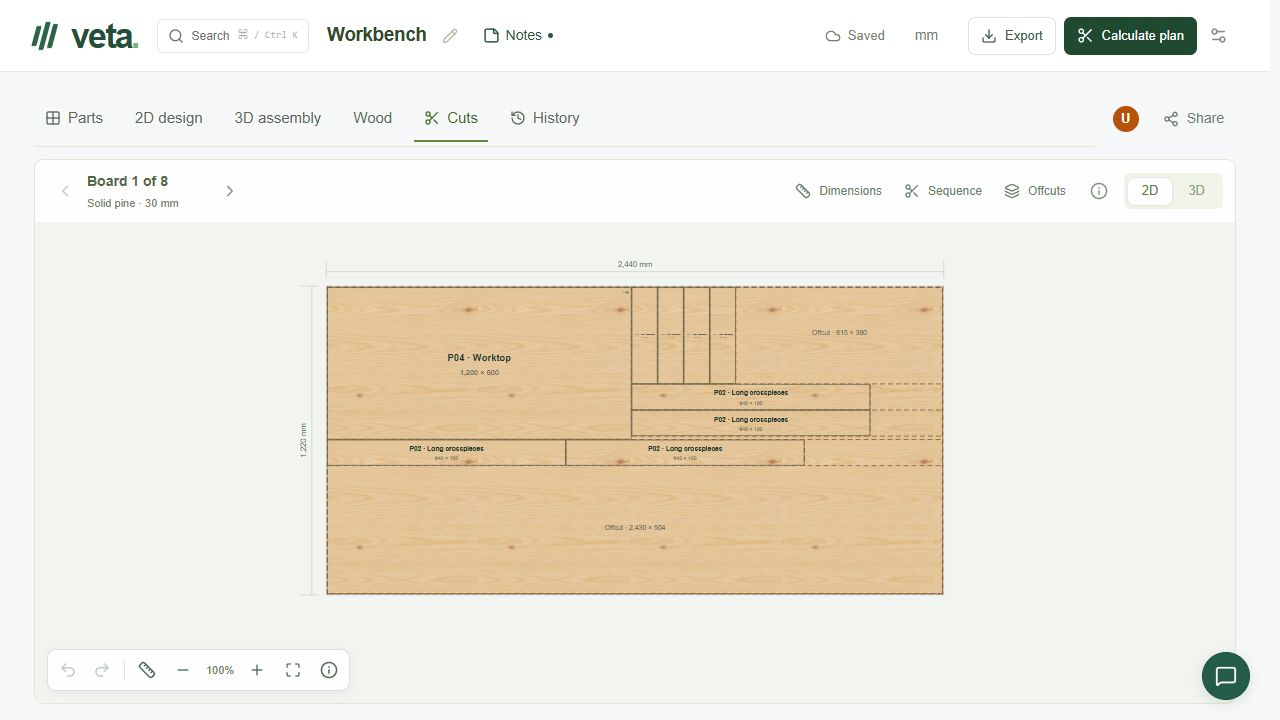
Real screenshots from the app.
Dimensions, material, grain and quantity for every part, organized by groups.
Edit each part's contour with dimensions and numeric controls.
Place parts in space and review the piece from any angle.
A cutting plan for each board, with sequence, dimensions and reusable offcuts.
Yes, planning is free. If you connect an AI provider, its terms apply.
No. Veta works without AI. To use the assistant, connect your provider or a local model.
Use it in your browser and export your plans.
Yes. Add the wood you have and Veta prioritizes offcuts when laying out cuts.
A technical PDF, SVG drawings, the project as JSON and CSV lists.